โ† Blog

How to Fix Wrong Information About Your Business in ChatGPT and AI Search

ChatGPT says your business doesn't offer a feature you launched months ago. Now what? Learn how to investigate inaccurate AI answers, correct the information behind them and check whether the mistakes keep appearing.

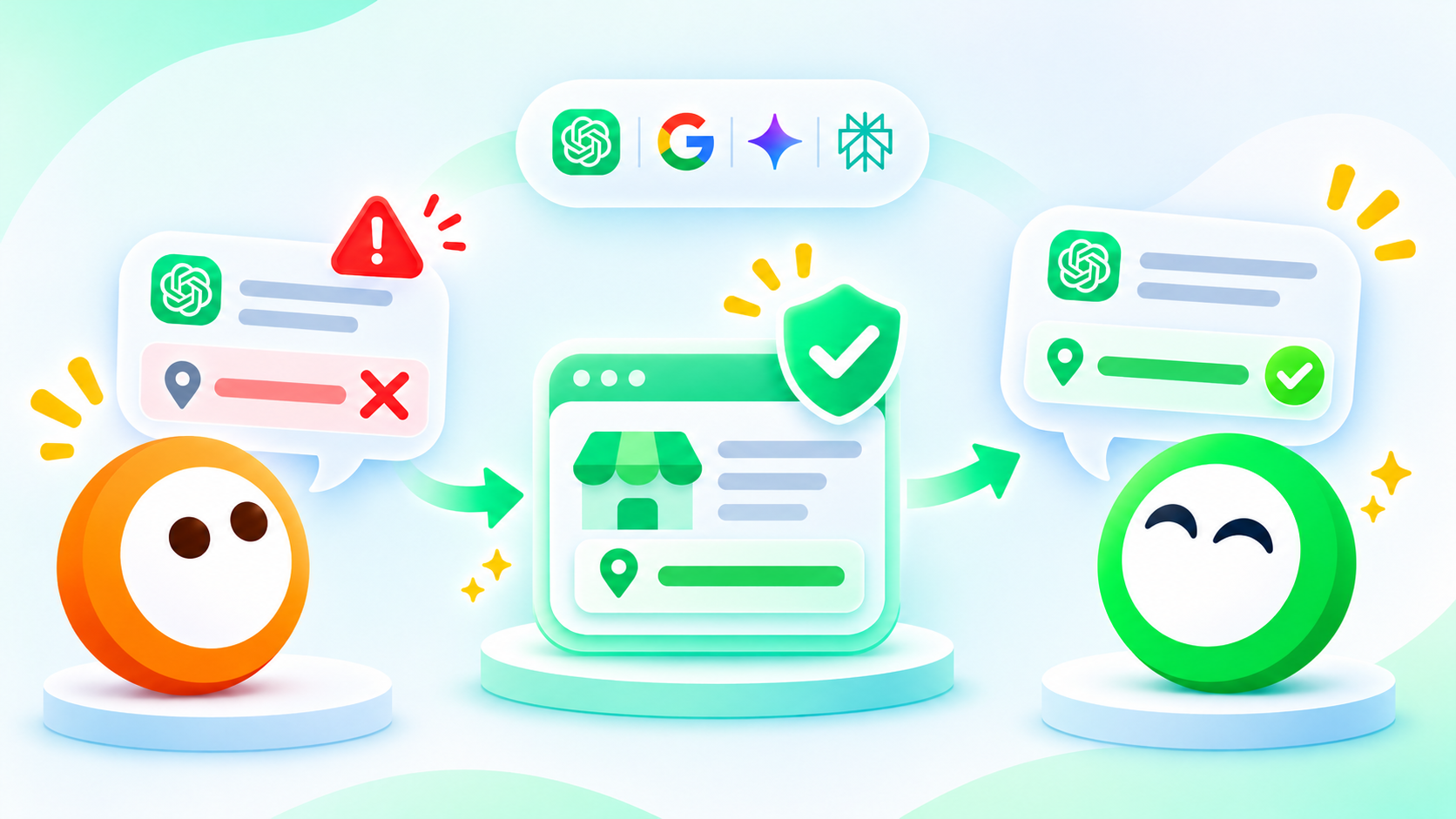
Orange and green Oly mascots illustrating how businesses can identify and correct inaccurate information in ChatGPT and other AI search engines.

The internet has a long memory. Unfortunately, it doesn't always remember the latest version.

An old price sits in a forgotten review. A product integration is still marked "coming soon" on a directory page, six months after launch. An address that changed years ago keeps circulating online.

Then someone asks an AI assistant about your business, and those outdated details can reappear as a neat, confident answer.

That's the uncomfortable part. The customer doesn't even need to visit the outdated website. AI can deliver the wrong information directly, with enough confidence to make it sound like a fact.

And if that answer influences a buying decision, you may never know.

The temptation is to blame ChatGPT, update your homepage and hope for the best. But the real problem could be buried in a third-party article, an old help page or somewhere you haven't thought to look.

So where do you start?

By finding out exactly what AI is saying, checking where the information might have come from and correcting what you can.

Oly is rather keen on that kind of detective work. ๐Ÿ’š

Here's how to approach it without spending your days chasing every strange answer across the internet.

Why does AI get business information wrong?

AI assistants can be remarkably good at finding information, comparing products and explaining complicated subjects.

They're also capable of confidently telling someone that your company stopped selling a product you launched last Tuesday.

Not ideal.

There are several reasons this happens.

Outdated sources. An AI answer might rely on an old product review, an outdated pricing page or a directory listing nobody has touched in years.

Conflicting information. Your website says one thing, a comparison article says another, and an old press release adds a third version. AI has to make sense of the disagreement.

Confusion between businesses. Similar names, overlapping services and unclear company descriptions can lead to information about one business being attributed to another.

Misunderstood details. A feature available only on your enterprise plan might be described as unavailable altogether.

Generated mistakes. Sometimes the AI simply gets something wrong, even when there isn't an identifiable webpage responsible for the error.

OpenAI acknowledges that ChatGPT can produce incorrect or misleading answers, sometimes with considerable confidence.

And a citation doesn't automatically make an answer correct. The cited page could be outdated, irrelevant or interpreted incorrectly.

That's why the first step isn't rushing to rewrite your website.

It's finding out exactly what went wrong.

Step 1: Check what ChatGPT and other AI engines actually say about your business

Start by asking the questions a potential customer would ask.

Not just your company name. Think about the information someone needs before deciding whether to buy from you.

For a software company, that might include:

  • What does [brand] do?
  • How much does [brand] cost?
  • Does [brand] integrate with QuickBooks?
  • What are the main limitations of [brand]?
  • Is [brand] suitable for a company with 20 employees?
  • How does [brand] compare with [competitor]?

Notice that the final two questions aren't simply asking for facts. They're asking AI to interpret those facts and make a judgment.

That distinction will become important later.

Test the questions in ChatGPT, Gemini, Perplexity and other relevant AI engines. Where possible, check both direct brand questions and broader discovery questions that don't mention your company.

And don't assume one response tells the whole story.

AI answers can change depending on the wording, location, conversation context, available sources and whether the engine searches the web.

For each potential error, record:

What to recordExample
AI engineChatGPT
Question askedDoes ClearDesk integrate with QuickBooks?
AI's claimClearDesk does not support QuickBooks
Correct informationQuickBooks integration is available
Supporting evidenceOfficial integration documentation
Cited sourceAn older product comparison article
Date checkedDate of your test

ClearDesk is a fictional company used to illustrate the process.

This gives you something more useful than a screenshot followed by a frustrated message to your marketing team.

You have a specific claim to investigate.

Step 2: Find out where the incorrect information might be coming from

Let's stay with ClearDesk.

The company launched its QuickBooks integration six months ago. Its product documentation clearly explains how the integration works.

Yet ChatGPT tells a potential customer that ClearDesk doesn't support QuickBooks.

Why?

Start by looking at the sources included in the AI answer.

Suppose ChatGPT cites a software comparison article published before the integration launched.

The article says ClearDesk doesn't connect with QuickBooks.

At the time, that was true.

Today, it isn't.

You've now found a possible explanation.

But don't stop at the first citation.

Check whether other websites repeat the same claim. Search for phrases such as:

  • "ClearDesk QuickBooks integration"
  • "ClearDesk does not support QuickBooks"
  • "ClearDesk integrations"
  • "ClearDesk limitations"

Compare what you find with your official documentation.

Is the outdated statement still on your own website? Does an old help article contradict the latest product page? Is a third-party review being widely repeated?

Sometimes the answer will be obvious. Other times, it won't.

And occasionally, none of the cited sources will contain the incorrect claim at all.

That matters.

If the AI generated the mistake itself, correcting one random webpage isn't necessarily going to solve it.

Focus on evidence you can verify rather than guessing which source must be responsible.

If you're unsure whether AI is even finding your updated content, our guide to getting your website cited by AI explains how to investigate source visibility.

Step 3: Correct the information at its source

Once you've identified a likely problem, start with what you can control.

Update your own website

Check your product pages, FAQs, pricing information, integration documentation and help center.

In ClearDesk's case, the QuickBooks integration should be easy to verify from an official page.

A useful explanation might say:

"ClearDesk supports QuickBooks Online integration on its Growth and Enterprise plans."

That's more helpful than a vague sentence about connecting to popular accounting platforms.

Include the relevant limitations too. If the integration isn't available on the entry-level plan, say so.

Accurate information includes the details customers might not particularly enjoy hearing.

Fix contradictory information

Perhaps an older article on your website still says QuickBooks support is coming soon.

Update it, or make its historical context unmistakable.

Then look at relevant business listings, software directories, product marketplaces and public profiles.

For local businesses, keeping your Google Business Profile accurate is particularly important. Google allows verified businesses to update details such as their address, hours and contact information.

The aim is consistency, not copying the same marketing paragraph onto every website you can find.

Request corrections from third parties

If a review site or comparison article contains an outdated factual claim, contact the publisher.

Explain what's wrong, provide the correct information and link to supporting evidence.

For example:

"Your comparison currently says ClearDesk doesn't integrate with QuickBooks. We launched this integration in May 2026, and it's available on our Growth and Enterprise plans. Here's our documentation if you'd like to update the article."

Simple. Specific. Easy to verify.

The publisher may update the article. They may not.

You can request a correction, but you don't control another website's editorial decisions.

Check whether search engines can access the updated content

Even accurate information isn't particularly useful to an AI search system if the relevant page is inaccessible.

Make sure important information is available in readable page content, not hidden behind a login or buried inside an image.

Check for accidental crawling restrictions and indexing issues.

Google's guidance for AI Overviews and AI Mode emphasizes the same foundational SEO practices used for regular search.

After making significant changes, you can use Google Search Console to request recrawling of pages you manage.

Just remember that requesting a recrawl doesn't guarantee immediate reindexing.

And even when Google processes your updated page, that doesn't mean ChatGPT, Gemini and every other AI platform will immediately change their answers.

Different systems may discover and use information in different ways.

Step 4: Can you correct wrong information directly in ChatGPT?

Here's where things have become a little more interesting.

In November 2026, OpenAI introduced Businesses in ChatGPT, including a Business Hub where eligible companies can claim and verify their profiles.

Verified businesses can update certain details, including their descriptions, websites and product or service information.

If you're eligible, it's worth investigating.

But there's an important catch.

Updating your ChatGPT business profile isn't the same as editing every ChatGPT answer about your company.

OpenAI reviews profile changes, and those changes can take time to appear. ChatGPT may also use information from other sources.

You can learn more in OpenAI's business setup guide.

We've also explored what ChatGPT Business Hub analytics can and cannot tell businesses.

What about reporting an incorrect answer?

ChatGPT provides a thumbs-down feedback option on responses, which you can use to flag inaccurate information.

Google offers similar feedback options for AI Overviews and AI Mode.

For example, Google's AI Overviews feedback process allows users to flag an answer as inaccurate and explain the problem.

Google also documents feedback options for AI Mode.

When submitting feedback, be specific.

Include the incorrect statement, what the correct information should be and a reliable source supporting the correction.

A general complaint that an AI answer makes your company look bad is less useful than identifying a verifiable factual mistake.

And don't treat feedback submission as confirmation that the issue has been fixed.

These systems don't offer a universal correction button or a guaranteed timeline for changing generated answers.

Step 5: Check whether AI has stopped repeating the mistake

You've updated the product page.

The outdated article has been corrected.

You've submitted feedback where appropriate.

Problem solved?

Possibly.

But wouldn't it be nice to know?

This is where monitoring becomes important.

Return to the original questions and check the answers again.

Use the same wording, AI engine and relevant test conditions where possible. Keep the original response so you can compare it with the new one.

For ClearDesk, the question is straightforward:

Does ClearDesk integrate with QuickBooks?

Perhaps ChatGPT now gives the correct answer, but Gemini still repeats the outdated claim.

Or perhaps ChatGPT gives the right information when asked directly about ClearDesk, yet leaves the product out of recommendations for accounting tools that integrate with QuickBooks.

Those are different problems.

One concerns factual accuracy. The other concerns competitive visibility.

Tracking both helps you understand whether the information has improved and whether that improvement is reflected in the questions buyers are likely to ask.

You don't have to monitor everything manually forever, either.

keenOly can help you examine how your brand appears across supported AI engines, review answers and sources, and compare changes over time.

Think of Oly as the curious investigator who keeps checking the evidence.

Not someone who can walk into ChatGPT's office and demand a rewrite. Although Oly might be tempted.

What if the AI answer is accurate, but makes your business look bad?

This deserves its own conversation, because marketers sometimes confuse incorrect information with unfavorable information.

Let's say ChatGPT tells someone:

"ClearDesk doesn't offer a free plan."

If ClearDesk genuinely doesn't have a free plan, the statement is accurate.

You might wish ChatGPT had mentioned your 14-day trial or explained why your pricing makes sense.

But the AI hasn't necessarily made a factual error.

Now imagine it says:

"ClearDesk may not be the best option for very small businesses because its entry-level plan is more expensive than some alternatives."

That's a judgment.

You can examine whether the underlying pricing comparison is accurate, whether the answer overlooks important features and whether the recommendation is fair.

But you can't simply label an unfavorable opinion as misinformation.

For brand monitoring, it's useful to separate three situations:

What AI saysWhat you're dealing with
Your product lacks a feature it actually supportsFactual inaccuracy
Your product has higher prices than a competitor, and that's trueAccurate but potentially unfavorable information
A competitor is recommended instead of your productCompetitive positioning or recommendation gap

Each calls for a different response.

Correct factual mistakes. Investigate misleading comparisons. And when AI consistently recommends competitors, examine the reasons rather than trying to make every negative observation disappear.

This is where understanding AI brand sentiment becomes just as useful as counting mentions.

A brand can appear frequently in AI answers without being described particularly favorably.

And a high mention count won't tell you whether the information is correct.

Your AI brand accuracy checklist

Before you declare your business's AI information healthy, run through these checks:

  • Ask ChatGPT and other relevant AI engines factual questions about your business.
  • Check product features, pricing, integrations, locations and other details that influence buying decisions.
  • Save incorrect claims, test questions, dates and available citations.
  • Compare each claim against reliable, current evidence.
  • Investigate outdated or conflicting information on your website and third-party sources.
  • Correct content you control and request factual updates elsewhere.
  • Use relevant AI platform feedback options where appropriate.
  • Repeat the same questions to see whether the answers change.
  • Keep factual errors separate from legitimate criticism and competitor recommendations.

You don't need an expensive system to start doing this.

A spreadsheet and a little curiosity will get you surprisingly far.

The difficult part is keeping it up as your products, competitors and AI answers change.

AI doesn't always get the facts right. Are you paying attention?

The uncomfortable thing about inaccurate AI answers is that you may never see the customers they influence.

Someone asks a question. AI gives an answer. A decision gets made.

Your brand might be dismissed because of a feature you actually offer, a price you changed months ago or an outdated review that's still floating around the internet.

You can't control every AI response.

But you can make your information clearer, investigate suspicious claims, correct errors at their source and check whether the same mistakes keep appearing.

And don't forget to look beyond ChatGPT. Your brand's story may sound quite different depending on which AI engine is telling it.

That's the sort of mystery Oly is particularly keen to investigate. ๐Ÿ’š

Curious what AI has been saying about your business?

Let Oly take a look.

Start with 10 free ChatGPT prompts and 10 questions to Oly. Find out where your brand appears, what AI says about it and which answers might deserve a closer look.
How to Fix Wrong Information About Your Business in ChatGPT and AI Search

ChatGPT says your business doesn't offer a feature you launched months ago. Now what? Learn how to investigate inaccurate AI answers, correct the information behind them and check whether the mistakes keep appearing.

The internet has a long memory. Unfortunately, it doesn't always remember the latest version.

An old price sits in a forgotten review. A product integration is still marked "coming soon" on a directory page, six months after launch. An address that changed years ago keeps circulating online.

Then someone asks an AI assistant about your business, and those outdated details can reappear as a neat, confident answer.

That's the uncomfortable part. The customer doesn't even need to visit the outdated website. AI can deliver the wrong information directly, with enough confidence to make it sound like a fact.

And if that answer influences a buying decision, you may never know.

The temptation is to blame ChatGPT, update your homepage and hope for the best. But the real problem could be buried in a third-party article, an old help page or somewhere you haven't thought to look.

So where do you start?

By finding out exactly what AI is saying, checking where the information might have come from and correcting what you can.

Oly is rather keen on that kind of detective work. ๐Ÿ’š

Here's how to approach it without spending your days chasing every strange answer across the internet.

Why does AI get business information wrong?

AI assistants can be remarkably good at finding information, comparing products and explaining complicated subjects.

They're also capable of confidently telling someone that your company stopped selling a product you launched last Tuesday.

Not ideal.

There are several reasons this happens.

Outdated sources. An AI answer might rely on an old product review, an outdated pricing page or a directory listing nobody has touched in years.

Conflicting information. Your website says one thing, a comparison article says another, and an old press release adds a third version. AI has to make sense of the disagreement.

Confusion between businesses. Similar names, overlapping services and unclear company descriptions can lead to information about one business being attributed to another.

Misunderstood details. A feature available only on your enterprise plan might be described as unavailable altogether.

Generated mistakes. Sometimes the AI simply gets something wrong, even when there isn't an identifiable webpage responsible for the error.

OpenAI acknowledges that ChatGPT can produce incorrect or misleading answers, sometimes with considerable confidence.

And a citation doesn't automatically make an answer correct. The cited page could be outdated, irrelevant or interpreted incorrectly.

That's why the first step isn't rushing to rewrite your website.

It's finding out exactly what went wrong.

Step 1: Check what ChatGPT and other AI engines actually say about your business

Start by asking the questions a potential customer would ask.

Not just your company name. Think about the information someone needs before deciding whether to buy from you.

For a software company, that might include:

  • What does [brand] do?
  • How much does [brand] cost?
  • Does [brand] integrate with QuickBooks?
  • What are the main limitations of [brand]?
  • Is [brand] suitable for a company with 20 employees?
  • How does [brand] compare with [competitor]?

Notice that the final two questions aren't simply asking for facts. They're asking AI to interpret those facts and make a judgment.

That distinction will become important later.

Test the questions in ChatGPT, Gemini, Perplexity and other relevant AI engines. Where possible, check both direct brand questions and broader discovery questions that don't mention your company.

And don't assume one response tells the whole story.

AI answers can change depending on the wording, location, conversation context, available sources and whether the engine searches the web.

For each potential error, record:

What to recordExample
AI engineChatGPT
Question askedDoes ClearDesk integrate with QuickBooks?
AI's claimClearDesk does not support QuickBooks
Correct informationQuickBooks integration is available
Supporting evidenceOfficial integration documentation
Cited sourceAn older product comparison article
Date checkedDate of your test

ClearDesk is a fictional company used to illustrate the process.

This gives you something more useful than a screenshot followed by a frustrated message to your marketing team.

You have a specific claim to investigate.

Step 2: Find out where the incorrect information might be coming from

Let's stay with ClearDesk.

The company launched its QuickBooks integration six months ago. Its product documentation clearly explains how the integration works.

Yet ChatGPT tells a potential customer that ClearDesk doesn't support QuickBooks.

Why?

Start by looking at the sources included in the AI answer.

Suppose ChatGPT cites a software comparison article published before the integration launched.

The article says ClearDesk doesn't connect with QuickBooks.

At the time, that was true.

Today, it isn't.

You've now found a possible explanation.

But don't stop at the first citation.

Check whether other websites repeat the same claim. Search for phrases such as:

  • "ClearDesk QuickBooks integration"
  • "ClearDesk does not support QuickBooks"
  • "ClearDesk integrations"
  • "ClearDesk limitations"

Compare what you find with your official documentation.

Is the outdated statement still on your own website? Does an old help article contradict the latest product page? Is a third-party review being widely repeated?

Sometimes the answer will be obvious. Other times, it won't.

And occasionally, none of the cited sources will contain the incorrect claim at all.

That matters.

If the AI generated the mistake itself, correcting one random webpage isn't necessarily going to solve it.

Focus on evidence you can verify rather than guessing which source must be responsible.

If you're unsure whether AI is even finding your updated content, our guide to getting your website cited by AI explains how to investigate source visibility.

Step 3: Correct the information at its source

Once you've identified a likely problem, start with what you can control.

Update your own website

Check your product pages, FAQs, pricing information, integration documentation and help center.

In ClearDesk's case, the QuickBooks integration should be easy to verify from an official page.

A useful explanation might say:

"ClearDesk supports QuickBooks Online integration on its Growth and Enterprise plans."

That's more helpful than a vague sentence about connecting to popular accounting platforms.

Include the relevant limitations too. If the integration isn't available on the entry-level plan, say so.

Accurate information includes the details customers might not particularly enjoy hearing.

Fix contradictory information

Perhaps an older article on your website still says QuickBooks support is coming soon.

Update it, or make its historical context unmistakable.

Then look at relevant business listings, software directories, product marketplaces and public profiles.

For local businesses, keeping your Google Business Profile accurate is particularly important. Google allows verified businesses to update details such as their address, hours and contact information.

The aim is consistency, not copying the same marketing paragraph onto every website you can find.

Request corrections from third parties

If a review site or comparison article contains an outdated factual claim, contact the publisher.

Explain what's wrong, provide the correct information and link to supporting evidence.

For example:

"Your comparison currently says ClearDesk doesn't integrate with QuickBooks. We launched this integration in May 2026, and it's available on our Growth and Enterprise plans. Here's our documentation if you'd like to update the article."

Simple. Specific. Easy to verify.

The publisher may update the article. They may not.

You can request a correction, but you don't control another website's editorial decisions.

Check whether search engines can access the updated content

Even accurate information isn't particularly useful to an AI search system if the relevant page is inaccessible.

Make sure important information is available in readable page content, not hidden behind a login or buried inside an image.

Check for accidental crawling restrictions and indexing issues.

Google's guidance for AI Overviews and AI Mode emphasizes the same foundational SEO practices used for regular search.

After making significant changes, you can use Google Search Console to request recrawling of pages you manage.

Just remember that requesting a recrawl doesn't guarantee immediate reindexing.

And even when Google processes your updated page, that doesn't mean ChatGPT, Gemini and every other AI platform will immediately change their answers.

Different systems may discover and use information in different ways.

Step 4: Can you correct wrong information directly in ChatGPT?

Here's where things have become a little more interesting.

In November 2026, OpenAI introduced Businesses in ChatGPT, including a Business Hub where eligible companies can claim and verify their profiles.

Verified businesses can update certain details, including their descriptions, websites and product or service information.

If you're eligible, it's worth investigating.

But there's an important catch.

Updating your ChatGPT business profile isn't the same as editing every ChatGPT answer about your company.

OpenAI reviews profile changes, and those changes can take time to appear. ChatGPT may also use information from other sources.

You can learn more in OpenAI's business setup guide.

We've also explored what ChatGPT Business Hub analytics can and cannot tell businesses.

What about reporting an incorrect answer?

ChatGPT provides a thumbs-down feedback option on responses, which you can use to flag inaccurate information.

Google offers similar feedback options for AI Overviews and AI Mode.

For example, Google's AI Overviews feedback process allows users to flag an answer as inaccurate and explain the problem.

Google also documents feedback options for AI Mode.

When submitting feedback, be specific.

Include the incorrect statement, what the correct information should be and a reliable source supporting the correction.

A general complaint that an AI answer makes your company look bad is less useful than identifying a verifiable factual mistake.

And don't treat feedback submission as confirmation that the issue has been fixed.

These systems don't offer a universal correction button or a guaranteed timeline for changing generated answers.

Step 5: Check whether AI has stopped repeating the mistake

You've updated the product page.

The outdated article has been corrected.

You've submitted feedback where appropriate.

Problem solved?

Possibly.

But wouldn't it be nice to know?

This is where monitoring becomes important.

Return to the original questions and check the answers again.

Use the same wording, AI engine and relevant test conditions where possible. Keep the original response so you can compare it with the new one.

For ClearDesk, the question is straightforward:

Does ClearDesk integrate with QuickBooks?

Perhaps ChatGPT now gives the correct answer, but Gemini still repeats the outdated claim.

Or perhaps ChatGPT gives the right information when asked directly about ClearDesk, yet leaves the product out of recommendations for accounting tools that integrate with QuickBooks.

Those are different problems.

One concerns factual accuracy. The other concerns competitive visibility.

Tracking both helps you understand whether the information has improved and whether that improvement is reflected in the questions buyers are likely to ask.

You don't have to monitor everything manually forever, either.

keenOly can help you examine how your brand appears across supported AI engines, review answers and sources, and compare changes over time.

Think of Oly as the curious investigator who keeps checking the evidence.

Not someone who can walk into ChatGPT's office and demand a rewrite. Although Oly might be tempted.

What if the AI answer is accurate, but makes your business look bad?

This deserves its own conversation, because marketers sometimes confuse incorrect information with unfavorable information.

Let's say ChatGPT tells someone:

"ClearDesk doesn't offer a free plan."

If ClearDesk genuinely doesn't have a free plan, the statement is accurate.

You might wish ChatGPT had mentioned your 14-day trial or explained why your pricing makes sense.

But the AI hasn't necessarily made a factual error.

Now imagine it says:

"ClearDesk may not be the best option for very small businesses because its entry-level plan is more expensive than some alternatives."

That's a judgment.

You can examine whether the underlying pricing comparison is accurate, whether the answer overlooks important features and whether the recommendation is fair.

But you can't simply label an unfavorable opinion as misinformation.

For brand monitoring, it's useful to separate three situations:

What AI saysWhat you're dealing with
Your product lacks a feature it actually supportsFactual inaccuracy
Your product has higher prices than a competitor, and that's trueAccurate but potentially unfavorable information
A competitor is recommended instead of your productCompetitive positioning or recommendation gap

Each calls for a different response.

Correct factual mistakes. Investigate misleading comparisons. And when AI consistently recommends competitors, examine the reasons rather than trying to make every negative observation disappear.

This is where understanding AI brand sentiment becomes just as useful as counting mentions.

A brand can appear frequently in AI answers without being described particularly favorably.

And a high mention count won't tell you whether the information is correct.

Your AI brand accuracy checklist

Before you declare your business's AI information healthy, run through these checks:

  • Ask ChatGPT and other relevant AI engines factual questions about your business.
  • Check product features, pricing, integrations, locations and other details that influence buying decisions.
  • Save incorrect claims, test questions, dates and available citations.
  • Compare each claim against reliable, current evidence.
  • Investigate outdated or conflicting information on your website and third-party sources.
  • Correct content you control and request factual updates elsewhere.
  • Use relevant AI platform feedback options where appropriate.
  • Repeat the same questions to see whether the answers change.
  • Keep factual errors separate from legitimate criticism and competitor recommendations.

You don't need an expensive system to start doing this.

A spreadsheet and a little curiosity will get you surprisingly far.

The difficult part is keeping it up as your products, competitors and AI answers change.

AI doesn't always get the facts right. Are you paying attention?

The uncomfortable thing about inaccurate AI answers is that you may never see the customers they influence.

Someone asks a question. AI gives an answer. A decision gets made.

Your brand might be dismissed because of a feature you actually offer, a price you changed months ago or an outdated review that's still floating around the internet.

You can't control every AI response.

But you can make your information clearer, investigate suspicious claims, correct errors at their source and check whether the same mistakes keep appearing.

And don't forget to look beyond ChatGPT. Your brand's story may sound quite different depending on which AI engine is telling it.

That's the sort of mystery Oly is particularly keen to investigate. ๐Ÿ’š

Curious what AI has been saying about your business?

Let Oly take a look.

Start with 10 free ChatGPT prompts and 10 questions to Oly. Find out where your brand appears, what AI says about it and which answers might deserve a closer look.
Try keenOly

Start free at app.keenoly.com.