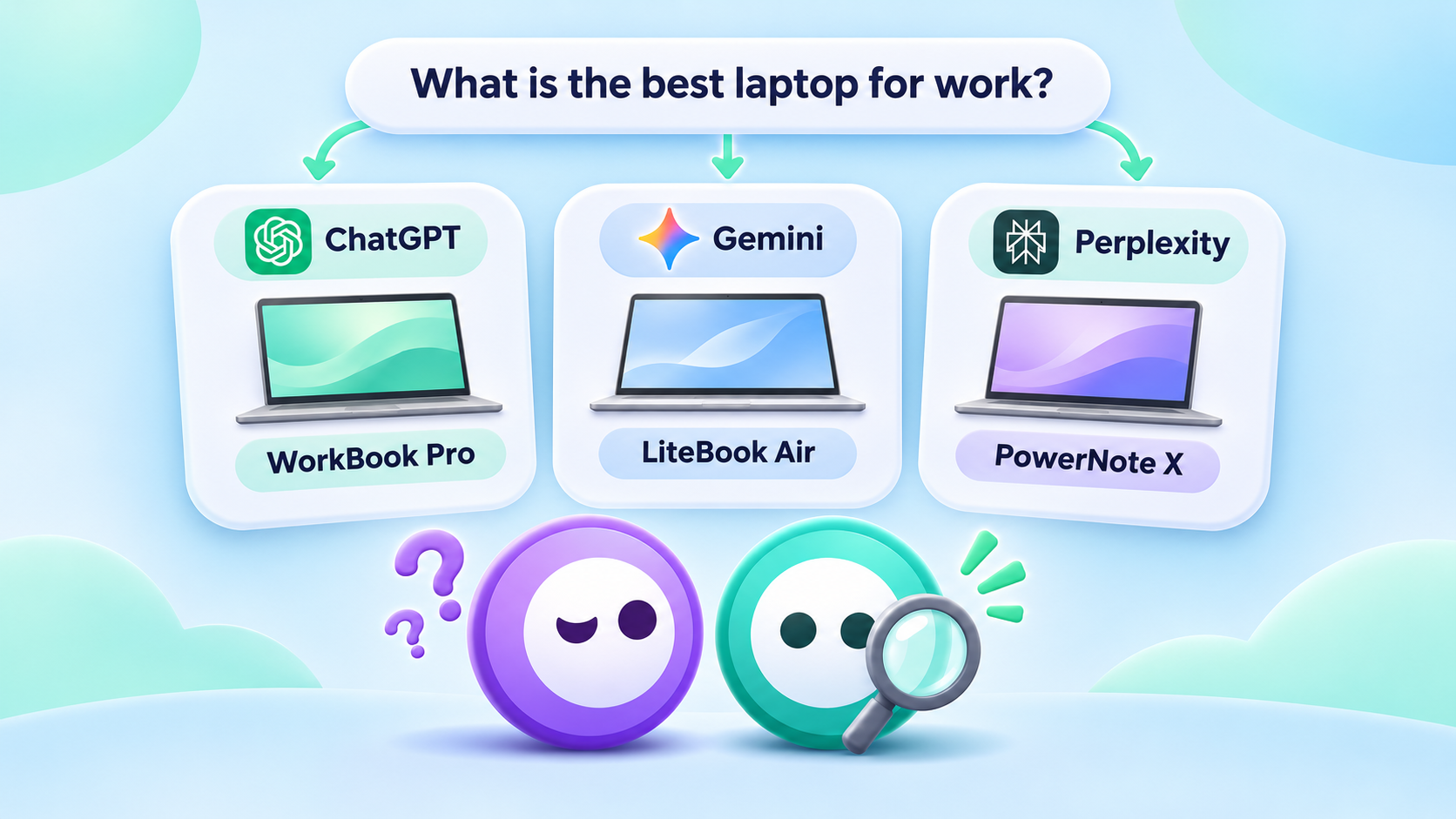
Your brand gets mentioned in ChatGPT. Perplexity starts citing your website. Maybe Gemini even recommends your business to someone looking for exactly what you offer.
Sounds promising.
But here's a question worth asking: Is any of that attention actually bringing visitors to your website?
And if it is, what happens when they arrive?
Until recently, answering those questions in Google Analytics involved digging through referral sources, creating filters and occasionally making educated guesses.
That's changing.
In May 2026, Google Analytics 4 introduced a dedicated AI Assistant traffic channel, making it easier to identify visits from recognized AI platforms.
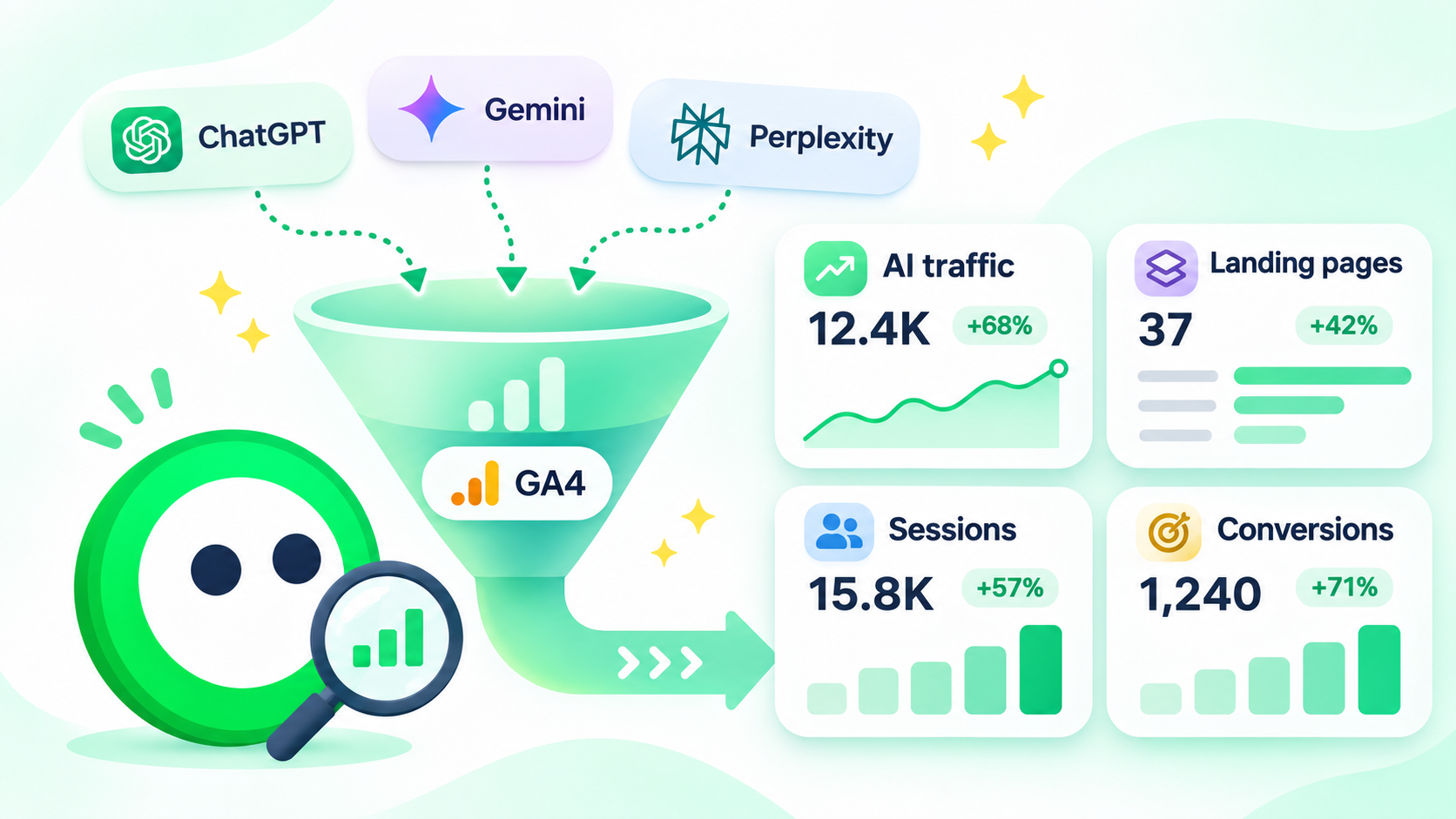
You can now get a clearer picture of which assistants send people to your site, which pages they visit and whether those visits lead to anything useful.
There's still a catch, though. AI traffic and AI visibility aren't the same thing. Google Analytics can help you understand the visitors who reach your website, but it can't show every time AI mentions, recommends or cites your brand.
Let's look at what you can measure, where to find it and what the numbers actually tell you.
1. Can Google Analytics 4 track AI traffic?
Yes. GA4 can identify visits coming from supported AI assistants when it receives recognizable referral information.
For example, someone might ask ChatGPT to recommend accounting software, follow a link in the answer and land on your website.
If the visit carries the appropriate referral information and GA4 records the session, Analytics can identify its source.
The important distinction is that GA4 measures the visit, not the conversation that led to it.
It generally won't show you the exact question someone asked ChatGPT, which competitors appeared alongside your brand or whether your company was recommended before the visitor clicked.
What's new in 2026?
On May 13, 2026, Google announced a dedicated AI Assistant channel in GA4's default channel grouping.
For recognized AI assistant referrals, Google Analytics automatically assigns:
- Channel: AI Assistant
- Medium: ai-assistant
- Campaign: (ai-assistant)
This allows marketers to identify supported AI traffic in standard reports rather than relying entirely on custom referral filters.
Google identifies ChatGPT, Gemini and Claude among the supported assistants. Its channel documentation also references platforms such as Copilot and Grok.
The full list of recognized sources may change, so it's worth checking the actual source values in your property rather than assuming every AI platform is classified identically.
You can find the details in Google's official Analytics updates.
One thing worth noting: this classification was introduced in May 2026. If you're reviewing older traffic, don't assume historical reports will show the same channel breakdown.
2. Step 1: Find AI traffic in GA4
You don't need to start by building a complicated report. Try the standard Traffic acquisition report first.
Here's where to go:
- Open Google Analytics and select your GA4 property.
- In the left navigation, click Reports.
- Go to Acquisition → Traffic acquisition.
- Select a date range that includes traffic after May 13, 2026.
- In the table, use Session default channel group as the primary dimension.
- Look for AI Assistant or AI Assistants, depending on the label displayed in your property.
If your website has received qualifying visits from recognized assistants, you should see an AI traffic row.
If it isn't there, don't immediately assume nobody has reached your website through AI. We'll get to the possible reasons shortly.
What should you look at?
Start with four metrics.
Sessions
How many visits have been attributed to AI assistants?
This tells you the recorded volume, not how many times your brand appeared in AI answers.
Engaged sessions
How many of those visits met GA4's engagement criteria?
An engaged session generally lasts longer than ten seconds, includes a key event or involves at least two page or screen views.
Average engagement time
Are visitors spending time actively engaging with your website, or leaving quickly?
This isn't a perfect measure of content quality, but it can reveal differences worth investigating.
Key events
Are those visitors completing actions that matter to your business, such as submitting an enquiry, requesting a demo or making a purchase?
For most businesses, this is where the conversation gets interesting.
A hundred visits from ChatGPT sounds encouraging. But if visitors aren't finding what they need, those visits alone won't tell you much about the value of the channel.
How to see which AI assistant sent the traffic
Once you've found the AI Assistant channel, add Session source / medium as a secondary dimension.
Depending on how your GA4 report is configured, you can do this by clicking the plus sign beside the primary dimension.
You can then examine the sources within the channel rather than treating AI traffic as one combined number.
Maybe ChatGPT sends most of your visits. Perhaps Perplexity sends fewer people, but those visitors spend more time exploring your services.
Those differences give you a much better starting point than a single total.
3. Step 2: Check AI sources the default reports might miss
Google's new AI Assistant channel makes tracking easier, but it doesn't mean every visit from every AI platform will be recognized.
GA4 depends on the information available when a visitor reaches your website.
Some AI referrals may still appear under other channels. Others may arrive without usable referral information.
So, before creating anything new, check your existing traffic sources.
Start with Session source / medium
In Reports → Acquisition → Traffic acquisition, change the primary dimension to Session source / medium.
Look for domains associated with AI assistants, such as:
- chatgpt.com
- chat.openai.com
- perplexity.ai
- gemini.google.com
- claude.ai
- copilot.microsoft.com
These are examples to investigate, not a complete list or a guarantee that GA4 will display every source using these exact names.
Also, remember that some of these visits may already be included in your default AI Assistant channel. You're inspecting the data, not adding a second set of sessions.
Optional: Create your own AI traffic channel
If your reporting needs are more specific, GA4 allows you to build custom channel groups.
This can be useful when you want to group particular referral sources together or maintain a consistent definition for internal reporting.
Go to:
Admin → Data display → Channel groups
Then:
- Click Create new channel group.
- Give the group a name, such as Custom Traffic Channels.
- Add a new channel called AI Referrals.
- Create a condition using the source dimension and select matches regex.
- Enter a pattern matching the AI referral domains you want to include.
- Position the new channel above Referral, and any other channel it needs to take precedence over.
- Save the group.
Here's a conservative example for matching selected source domains:
^(chatgpt\.com|chat\.openai\.com|perplexity\.ai|claude\.ai|gemini\.google\.com|copilot\.microsoft\.com)$
This pattern matches those six exact source values. It deliberately doesn't match general Google traffic or every domain containing the letters "AI".
Before using it, check the source values actually appearing in your GA4 property. Referral domains and reporting values can vary, and the expression may need adjustments. It isn't a comprehensive definition of all AI traffic.
Once saved, you can select your custom channel group in a compatible acquisition report.
You'll need the appropriate editing permissions to create or change channel groups.
Google provides the full setup process in its custom channel groups documentation.
For most businesses, though, I'd start with the built-in channel and only create a custom group when there's a clear reporting need.
There's little value in adding complexity just because you can.
4. Step 3: Find out what AI visitors actually do
Let's say ChatGPT has sent 200 visits to your website this month.
Is that good?
Maybe.
If those visitors are reading relevant articles, exploring your product and requesting demonstrations, you're probably seeing some useful activity.
If they're landing on one page and leaving immediately, it's worth looking more closely.
The next step is understanding what happens after the click.
Find your AI traffic landing pages
In GA4, go to:
Reports → Engagement → Landing page
This report shows the pages visitors first land on during a session.
Apply a filter or comparison for the AI Assistant channel where your report configuration supports it. Alternatively, use an Exploration with landing page and session channel dimensions.
You want to answer questions such as:
- Which blog articles attract visits from AI assistants?
- Are AI visitors landing on product pages or informational content?
- Do visitors continue exploring your website?
- Which pages lead to useful actions?
Suppose most of your AI traffic arrives on a comparison article.
That's interesting because it suggests people are clicking through to learn more about a particular choice or category.
But don't assume the article itself caused the AI recommendation. GA4 doesn't establish that relationship.
What it can tell you is that visitors associated with AI referrals are reaching that page.
Track enquiries, signups and purchases
If you're running a business, you'll eventually want to know whether those visits contribute to results.
GA4 calls important business actions key events.
These might include:
- Submitting a lead form
- Requesting a demo
- Creating an account
- Completing a purchase
- Booking an appointment
If the relevant events are already collected, you can mark them as key events under Admin → Data display → Events.
If an action isn't being tracked yet, you'll first need to implement an appropriate event.
Google explains the setup in its key events documentation.
Once those events are configured, you can compare the number of important actions associated with AI Assistant sessions against Organic Search, Referral and other traffic channels.
Just be careful with the interpretation.
A key event count isn't necessarily a count of unique customers. And attribution settings can affect how credit for an important action is assigned.
Still, this gets you much closer to answering the business question.
Not simply “Is AI sending traffic?”
But “Are those visits contributing anything useful?”
5. Where is traffic from Google AI Overviews and AI Mode?
This is where things can get confusing.
You open GA4, find the AI Assistant channel and expect all your AI search traffic to be there.
But Google AI Overviews and Google AI Mode are treated differently.
According to Google's default channel grouping documentation, traffic from these Google Search experiences is included in Organic Search, not the AI Assistant channel.
So, if someone clicks from an AI Overview to your website, that visit can appear alongside your other Google organic search traffic.
You can't simply use the AI Assistant channel total as a complete measure of traffic related to AI-generated answers.
What can Google Search Console show?
In June 2026, Google introduced dedicated Generative AI performance reports in Search Console, with worldwide availability announced by August 31.
These reports show how your website appears within Google's generative AI search features.
For AI Overviews and AI Mode, you can examine:
- Impressions: How often links to your pages appeared in supported generative AI search experiences.
- Pages: Which URLs received those impressions.
- Countries: Where those impressions originated.
- Devices: Whether people encountered your content on desktop, mobile or tablet.
- Dates: How that visibility changes over time.
You can access the report from your verified property in Google Search Console, under the Generative AI performance reporting area.
If the report isn't visible, Google says insufficient impressions may be one reason.
There's an important limitation: the dedicated report focuses on impressions. It doesn't provide a separate complete breakdown of clicks or conversions from those AI experiences.
That means a rise in AI Overview impressions isn't proof that more people visited your website.
Use GA4 and Search Console together
Think of the two tools as answering different questions.
| Tool | What it helps you understand |
|---|---|
| GA4 AI Assistant channel | Which recognized AI assistants send recorded visits to your website |
| GA4 Organic Search | Website activity from organic search, including visits originating in Google's AI search experiences |
| Search Console Generative AI report | How often your pages appear in supported Google AI search features |
| GA4 key events | Whether recorded visitors complete important business actions |
For a US-focused business, you can also use country filters to examine performance in the United States.
Just don't confuse an impression with a visit, or assume that GA4's total Google organic traffic represents AI Overview clicks.
The two systems measure different stages of the journey.
You can read more in Google's Generative AI performance report documentation.
6. What Google Analytics can't tell you about AI search
GA4 is useful. But it has some fairly important blind spots.
And if you're trying to understand how AI is influencing your brand, those missing pieces matter.
It doesn't record every AI recommendation
Someone could ask ChatGPT for the best accounting software for a small business.
ChatGPT might recommend your brand.
The person reads the answer, remembers your company and doesn't click anything.
That's still potential visibility, but there's no website visit for GA4 to record.
It doesn't always know where a visitor came from
Referral information can be missing because of browser behavior, app transitions, privacy settings or how a link is opened.
In some situations, a visit influenced by an AI assistant may appear as Direct traffic or another source.
That doesn't mean you should reclassify every unexplained Direct visit as AI traffic.
It means your AI referral reporting is incomplete by nature.
It doesn't show the exact AI prompt behind a visit
Suppose ChatGPT sends someone to your pricing page.
GA4 may identify ChatGPT as the source, but it won't normally tell you whether the visitor asked:
“What's the best CRM for a small sales team?”
or
“Is this company worth the price?”
Those questions represent quite different buyer intentions.
Yet the traffic report might look the same.
It doesn't show which competitors AI recommended instead
Even if your website receives no visits from a particular AI assistant, GA4 can't tell you whether competitors are being recommended instead.
It also can't reliably tell you which websites were cited in the answer before someone visited your page.
And that's why website analytics alone won't give you a complete picture of AI visibility.
7. AI visibility and AI traffic tell two different stories
Let's put this into a more familiar business situation.
Imagine you run a fictional US company selling scheduling software for HVAC contractors.
You've started monitoring traffic from AI assistants and checking how those same assistants answer questions about your product category.
Here are three situations you might encounter.
Scenario A: AI recommends your brand, but referral traffic is low
When you check relevant discovery prompts, your brand appears regularly in ChatGPT's recommendations.
But GA4 shows relatively little identifiable traffic from ChatGPT.
Should you be worried?
Not automatically.
Some people may be getting the information they need directly from the AI answer. Others may visit your website later through Google, a bookmark or another channel.
You should first check whether the brand is actually recommended, how it's described and whether relevant links appear in the answers.
Then compare what you see with the available referral data.
The lesson: Visibility doesn't always produce an immediate, measurable click.
Scenario B: ChatGPT sends visitors, but few become leads
This time, GA4 shows a steady flow of traffic from ChatGPT.
That's encouraging. But your demo request numbers aren't moving.
Look at the landing pages.
Are visitors arriving on an informational blog but struggling to find product details? Is the content answering the question that brought them there? Is the next step obvious?
You may have an on-site experience problem rather than an AI visibility problem.
The lesson: More traffic isn't automatically better traffic. What visitors do after arriving matters.
Scenario C: Your AI traffic improves, but competitors dominate recommendations
Your AI referral sessions are increasing month after month.
Nice progress.
But when you check prompts such as “What's the best scheduling software for small HVAC companies?”, your competitors keep receiving stronger recommendations.
Your brand might appear occasionally, perhaps as an alternative, but rarely as the preferred option.
GA4 won't reveal that gap.
You need to examine the actual AI responses, compare competitors and see which sources keep appearing alongside those recommendations.
The lesson: You can grow AI traffic while still missing important opportunities to be recommended.
This is where Oly gets curious
GA4 can help you understand what happened after a visitor reached your website.
Oly looks at a different part of the story.
Which brands are appearing in AI answers? Who's making the shortlist? Which competitors get recommended instead? What sources are being cited?
Oly tracks relevant buyer prompts and helps you investigate those answers over time.
Together, these perspectives can give you a more useful picture than traffic data alone.
They won't tell you the exact conversation that led to every individual visit. But they can help you identify questions and competitive gaps worth investigating.
And that's usually where better marketing decisions begin.
8. Your AI traffic tracking checklist
Before building a complicated AI analytics dashboard, make sure you've covered the basics.
- Find the AI Assistant channel. Check GA4's Traffic acquisition report for recognized AI assistant sessions.
- Identify the sources. Use Session source / medium to see which platforms are sending visitors.
- Check any missing referrals. Review relevant sources outside the default channel before deciding whether you need custom reporting.
- Review landing pages. Find out where AI visitors arrive and which content attracts their attention.
- Measure useful actions. Confirm that important enquiries, signups or purchases are configured as key events.
- Check Google separately. Use Search Console's Generative AI reports to understand AI Overview and AI Mode impressions.
- Look beyond the clicks. Review whether your brand is mentioned, cited or recommended for relevant buyer prompts.
- Compare trends carefully. Look for consistent changes rather than reacting to one unusual day or a handful of sessions.
If you report on AI performance regularly, I'd start with a simple monthly view of AI Assistant sessions, the main referral sources, top landing pages, key events and Google generative AI impressions.
Add interpretation beside the numbers. A chart showing that traffic increased is helpful, but explaining what changed and what deserves investigation is far more valuable.
AI traffic is only part of the story
Getting traffic from ChatGPT, Gemini or Perplexity is encouraging.
But it's worth asking what you're actually measuring.
A visit tells you someone reached your website. A key event tells you something important happened there. An AI impression tells you a page appeared in a supported search experience.
None of those measurements, on its own, tells you how often your brand was recommended or who AI preferred when your company wasn't chosen.
That's why it's worth looking at both sides.
Use Google Analytics to understand the visitors reaching your website and what they do once they're there. Use Search Console to investigate your presence in Google's AI search features.
And when you want to know who's making the AI shortlist, which sources are influencing the picture and where your competitors keep turning up, Oly can help with the detective work. 💚
Curious where your brand stands in AI?
Let Oly take a look. Your first 10 ChatGPT prompts are free, along with 10 questions you can ask Oly about the results.